.svg)
-
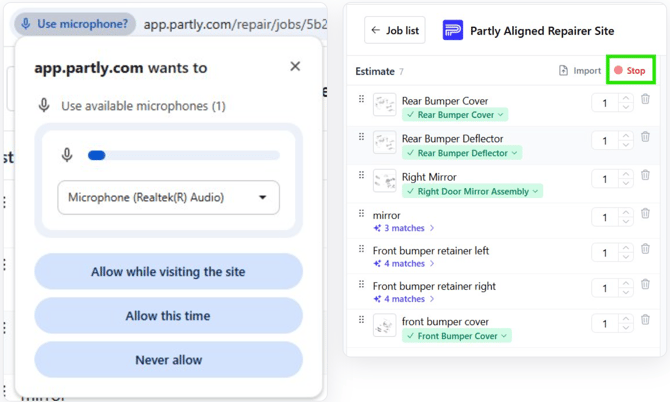
Click Dictate. It sits at the top of the estimate panel, next to Import.
-
Allow the microphone. The first time, your browser asks for permission. Choose Allow so Estimates V2 can hear you.
-
Speak the parts. Say them one after another: "front bumper cover, front bumper retainer left, right mirror…"
-
Click Stop when you're done. The button turns into a red Stop while it's listening.