.svg)
New Job Creation
- Start your job as you normally would. Either from your BMS or manually within Partly. When you create this new job, you'll have a few ways to get your parts list into Partly.
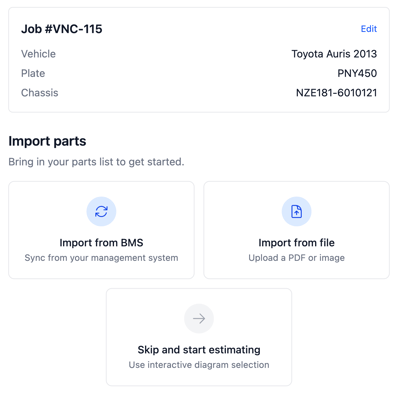
Import from BMS
-
If you're connected to a Business Management System (BMS), you can sync your parts list directly. Your existing parts pull in automatically - no typing required.
- This will copy your parts list from your BMS to Partly for your estimation. Then when your order is complete or you add more parts and then press Sync we will update the parts list in your BMS. No manual typing/copying needed.
Import from file
-
Don't have a BMS connection? No problem. Upload a PDF or image of your parts list.
-
A screenshot, photo, or export from another system all work fine.
-
Skip and start estimating
-
If you don't have a parts list somewhere else you can skip this step and add parts directly using the interactive diagrams. See the Estimation Guide on how best to do that.
Adding parts later
-
Not ready to import everything now? You can add parts anytime during estimation. Just go to your parts list and upload a file whenever you need to.
🙋Where to go for support
- Email: helpdesk@partly.com
- Visit: Partly Repairer Knowledge Base