.svg)
Table of Contents
1. User Groups and Permissions
3. Manage Organisation Information
1. User Groups and Permissions
There are currently three user permissions:
- General user: Access to Orders/Requests, Products, Sync and basic settings.
- Admin: Access to General user + Intelligence and more advanced settings.
- Accounts: Access to Billing portal
If you are missing any groups or have users in the wrong group, please don't hesitate to contact helpdesk@partly.com so we can quickly make adjustments.
Admins can add/remove users from groups. Steps listed below.
2. Change Name and Password
All users can change their name and password at any point.
Head to settings, select profile and edit the details as you wish!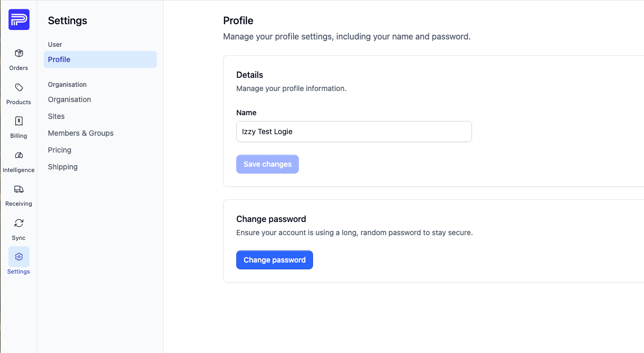
3. Manage Organisation information
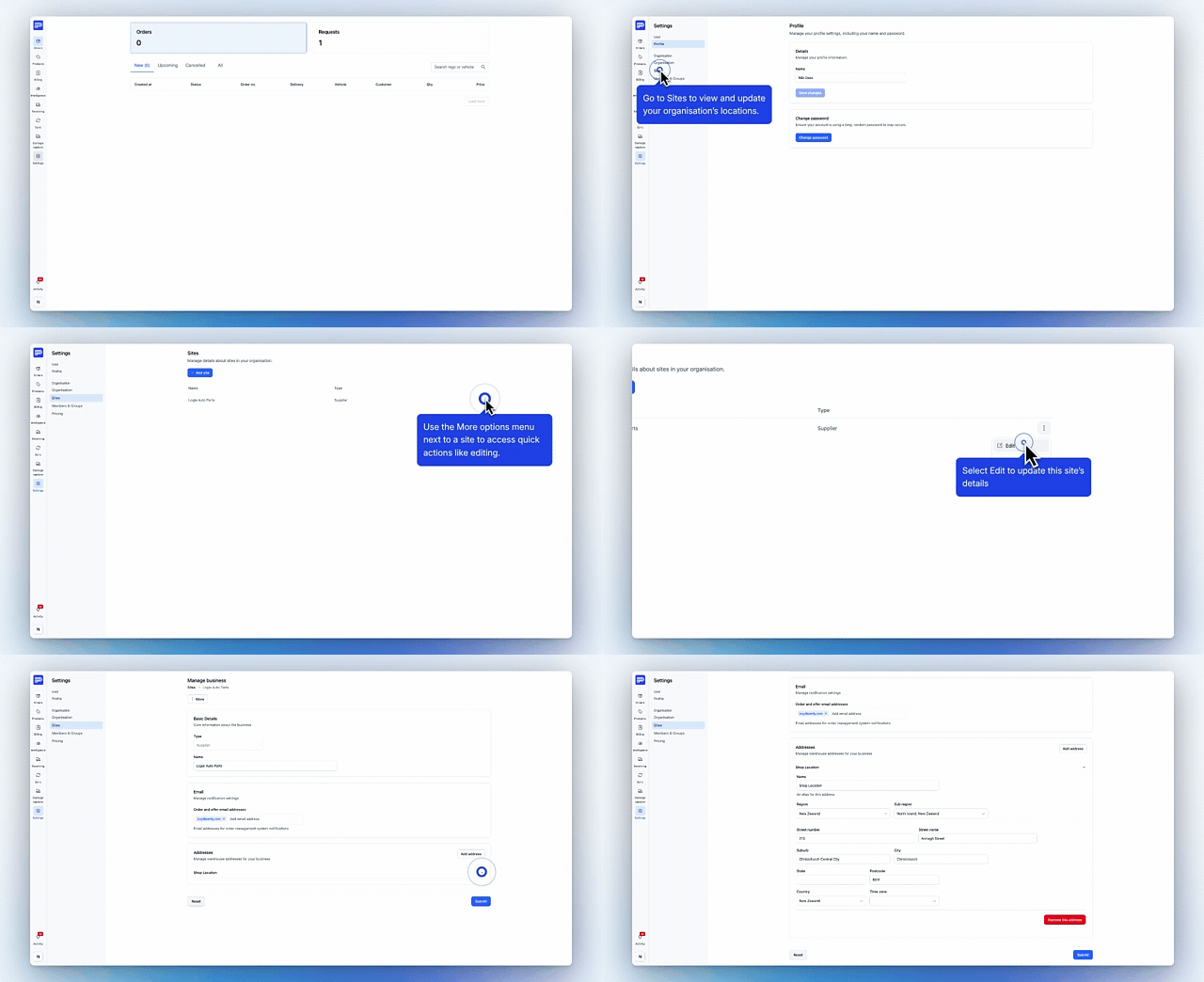
Admins can manage information about your organisation, including-
- Edit store name
- Add Notification email recipients - you can also have multiple.
- Addresses
How to get there!-
- Head to settings -> Select sites and click on the three dots to right of the site name.
- Select the edit option and adjust your site details as needed.
4. Adding/Inviting users
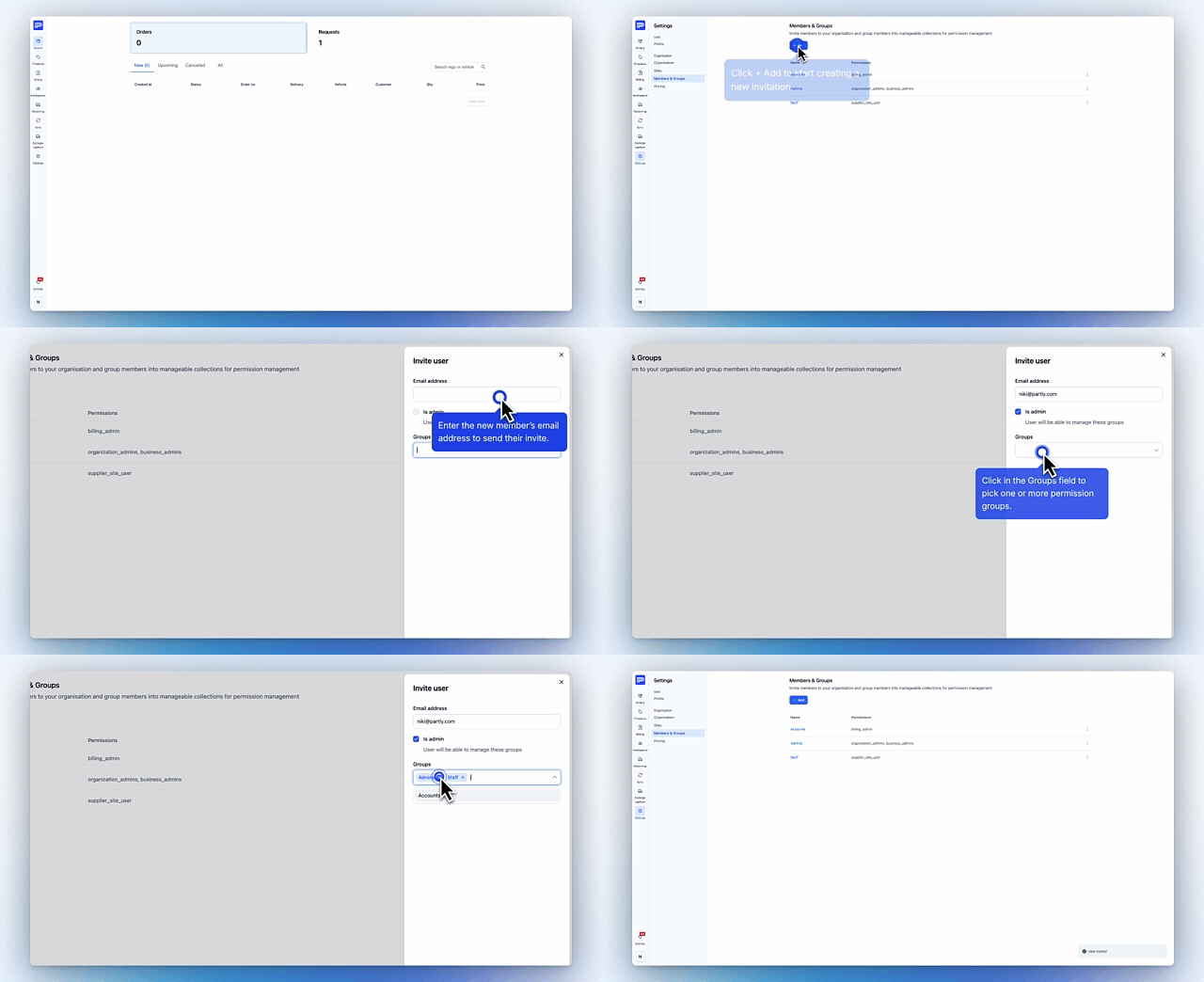
Admins can add users to groups.
- Firstly, new users need to create an account using the following link -> https://app.partly.com/auth/sign-up
- Your new user will then need to confirm their email through a confirmation email, which will be sent to their inbox
- Admin users can then head to settings -> select the 'Members & Groups' tab and click '+Add' -> 'Member'.
- Enter their email address, add them to their relevant group and click 'Invite user'.
- Your new user will be sent an email to accept the invitation to your organisation. Once they have accepted they can log in!
5. Removing Users
Admin users can remove users.
-
Head to settings -> select the 'Members & Groups' tab and select the group the user they wish to remove is located in.
- Click the three dots to the right of the user, then select 'Remove'.
Please don’t hesitate to reach out with feedback, issues, or just to say hello.
Many thanks,
Team Partly!!